Best PDF to HTML Converter Online – Free & Fast Tool
PDFs are one of the most trusted ways to share documents, though editing or adapting them can be difficult. Sometimes, you may want to display your PDF content on a website, extract the text into editable form, or simply make your documents SEO-friendly. In these cases, converting PDF files into HTML format is the perfect solution.
That is where our Best PDF to HTML Converter Online – Free & Fast Tool comes in. This tool is designed to help you transform your PDFs into responsive, lightweight HTML files without losing the original design, fonts, or formatting.
Why use a PDF to HTML converter?
Converting PDF to HTML has many advantages, especially if you are working with websites, blogs, or online applications. Some of the key benefits include:
SEO Benefits – Search engines cannot read PDFs effectively, but HTML text is fully indexable.
Easy Editing – HTML files can be edited in any text editor or web builder, giving you full control over design and structure.
Better User Experience – HTML documents load faster, adapt to screen sizes, and are mobile-friendly compared to static PDFs.
Cross-Platform Compatibility – HTML is supported across all browsers and devices, making it easier to share content online.
Preserved Layouts – Our tool ensures your tables, images, and hyperlinks remain intact during conversion.
Features of Our Free PDF to HTML Converter
 Free Forever – Yes, enjoy unlimited free conversions with no subscriptions attached.
Quick & Easy – Drag and drop your file, click convert, and download instantly.
Accurate Conversion – Retains fonts, colors, links, and images exactly as in the PDF.
Browser-Based – Works directly online without any software installation.
Secure Processing – All uploaded files are encrypted and never save on server.
Mobile-Friendly – Works on all devices including Android, iOS, Windows, and Mac.
Convert PDF to HTML: A Simple Stepwise Process
Upload your file – Click the upload button and select your PDF.
Start conversion – Hit the Convert Now button.
Download the result – Save your new HTML file instantly.
That is it! No technical knowledge or coding skills required.
Who needs a PDF to HTML converter?
Our online converter is available at no cost and supports a wide variety of needs:
Web Developers – To embed PDF content directly as HTML on websites.
Businesses & Startups – To share brochures, invoices, contracts, and reports online.
Bloggers & Writers – To publish e-books, guides, and tutorials in HTML format.
Teachers & Students – To upload study materials, notes, or presentations as HTML.
Designers & Marketers – To ensure documents remain responsive and accessible across platforms.
Benefits of Choosing an Online Converter:
No installation required – Saves device space.
Works on any operating system – Windows, Mac, Linux, iOS, Android.
Accessible anytime – Use it from anywhere with an internet connection.
Always updated – You get the latest features automatically.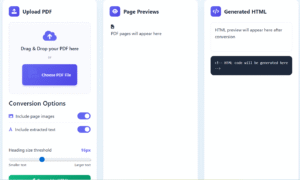
Frequently Asked Questions (FAQs)
1. Is this PDF to HTML converter really free?
Yes, our tool is free forever—no charges, no premium tiers.
2. Will my document’s formatting be preserved?
Absolutely. Fonts, images, colors, and hyperlinks are kept exactly as they appear in the original PDF.
3. Can I use it on my phone?
The tool is mobile-compatible, making it accessible on all iOS and Android devices.
4. Are my files safe?
Yes. Your files are encrypted during conversion and automatically deleted after processing.
5. Do I need to install any software?
No. The entire process happens online in your browser—no downloads required.
Pro Tips for Better PDF to HTML Conversion
Use high-quality PDF files to get the best conversion results.
Keep your PDF text-based instead of image-based for maximum accuracy.
After conversion, inspect the HTML output to apply quick fixes or improvements.
Enhance your HTML for SEO by structuring it with proper headings, including descriptive alt text for images, and adding essential metadata.
Final Thoughts
If you are looking for the Best PDF to HTML Converter Online – Free & Fast Tool, our platform offers everything you need. It is simple, secure, and lightning-fast—perfect for professionals, students, developers, and businesses alike.
Stop struggling with static PDFs. Convert them into dynamic, responsive, and SEO-friendly HTML files today.
HTML to CSV
All Tool Developed By TOP ONE NETWORK